





IPTV Canada: Flexible Streaming Plans for Canadian Viewers
Explore IPTV Canada subscription options designed for Canadian viewers. Compare available live TV, movies, and TV series features, then choose a plan that fits your viewing preferences and compatible devices. Browse the channels and on-demand entertainment available with your plan, and enjoy viewing on compatible devices, including Smart TVs, streaming devices, smartphones, tablets, and computers. Available content, streaming quality, and device compatibility depend on your provider, subscription, and internet connection. Review the service details to find the option that best suits your viewing preferences.
REVIEW PLANS · CHECK DEVICE COMPATIBILITY · CHOOSE YOUR OPTIONS
IPTV Canada Subscription Plans & Pricing
Compare IPTV subscription options in Canada for 1, 2, or 3 devices. Review the available subscription durations, prices in Canadian dollars (CAD), and plan details to find an option that suits your viewing needs. Contact our team if you have questions about plan availability or setup.
Review the plan details, supported devices, and subscription terms before choosing an option. Have questions? Message our team on WhatsApp for information about available plans and setup.
Affordable IPTV Subscription Plans in Canada
Compare IPTV subscription options in Canada and find a plan that suits your viewing preferences and budget. Explore available live TV channels, movies, and TV series, and check which features are included with each subscription. IPTV services may support Smart TVs, Fire TV devices, streaming players, smartphones, tablets, and computers, depending on the provider. Channel availability, streaming quality, device compatibility, and subscription terms vary, so review the plan details before choosing an IPTV service in Canada.

IPTV Free Trial in Canada: What to Check
Considering an IPTV free trial in Canada? Explore the available trial options, if offered by your selected provider, before choosing a subscription. Check the channel lineup, on-demand catalogue, supported devices, and streaming requirements to see whether the service meets your needs. Trial availability, duration, and conditions may vary by provider and plan, so review the terms before signing up. Choose an IPTV subscription based on your viewing preferences, device compatibility, and budget.
Sports on IPTV Canada: Channels and Coverage
Looking for sports on IPTV in Canada? Explore the sports content available through your selected IPTV subscription, including hockey, football, basketball, and other sporting events where offered. Browse the available channel lineup to find coverage that matches your favourite teams and competitions. Sports channels, live events, video quality, and regional availability depend on your provider, subscription plan, and applicable broadcasting rights. Check the current channel list and service details before subscribing to find an option that suits your sports viewing preferences.


IPTV Setup for Smart TVs and Fire TV in Canada
Want to set up IPTV on your Smart TV or Fire TV device in Canada? Follow the setup instructions provided with your subscription to install and configure a compatible IPTV application. Depending on your device and service, you may be able to access live TV channels and on-demand movies and series from one convenient interface. Compatibility and installation steps vary by TV model, operating system, application, and provider. Before subscribing, check the supported devices and make sure your equipment meets the service requirements. If you need help, consult your provider’s setup guide.
IPTV Streaming Quality and Compatible Devices in Canada
Explore IPTV streaming in Canada on a compatible device, with video quality suited to your subscription and internet connection. Depending on your selected plan and provider, available streaming formats may include HD or 4K resolution. For smoother playback, use a stable internet connection, keep your streaming application updated, and check that your device meets the service requirements. Picture quality and playback performance can vary with network speed, Wi-Fi stability, device capabilities, and the content being streamed. Before subscribing, review the supported resolutions, compatible devices, and technical requirements to choose the right IPTV option for your home.

IPTV Streaming Quality and Compatible Devices in Canada
Explore IPTV streaming in Canada on a compatible device, with video quality suited to your subscription and internet connection. Depending on your selected plan and provider, available streaming formats may include HD or 4K resolution. For smoother playback, use a stable internet connection, keep your streaming application updated, and check that your device meets the service requirements. Picture quality and playback performance can vary with network speed, Wi-Fi stability, device capabilities, and the content being streamed. Before subscribing, review the supported resolutions, compatible devices, and technical requirements to choose the right IPTV option for your home.
Live TV Streaming in Canada: Explore Channel Options
Searching for live TV streaming options in Canada? Explore the channels available through your selected IPTV subscription and find programming that matches your interests, from news and entertainment to sports and lifestyle content, where available. Before subscribing, review the channel lineup and confirm that the content you want is included in your plan and available in your region. Channel selection and access may vary by provider, subscription, and applicable broadcasting rights. Choose a compatible device and a reliable internet connection for a more convenient streaming experience at home.
IPTV Privacy and Secure Streaming in Canada
When comparing IPTV services in Canada, consider your internet connection, device security, and privacy settings. For a more reliable streaming experience, use a stable connection and keep your device and IPTV app updated. For a reliable streaming experience, use a stable internet connection and keep your device and IPTV application updated. Privacy features depend on your device, network configuration, and any additional services you choose to use. A VPN is a separate service unless your provider explicitly confirms that it is included in your subscription. Before signing up, review the provider’s privacy policy, service terms, and connection requirements so you understand how the service works and what protections are available.
IPTV Canada Movies and TV Shows: On-Demand Entertainment
Explore on-demand movies and TV shows with IPTV in Canada. Depending on your selected subscription, the available catalogue may include action, drama, comedy, documentaries, and international entertainment. Browse the titles offered by your provider and choose content that matches your interests. Catalogue availability, new releases, and viewing options vary by provider, subscription plan, and regional rights. Check the current listings and service terms before subscribing. Browse the available catalogue to find titles that match your interests and enjoy streaming on a compatible device at a time that suits you. Content availability, new releases, and viewing options vary by provider, subscription plan, and regional rights. Check the current catalogue and service details before subscribing to make sure your preferred entertainment is included.











Watch Movies and TV Shows Online in Canada with IPTV
Looking for ways to watch movies and TV shows online in Canada? Explore the on-demand entertainment included with your chosen IPTV subscription, with genres that may range from action and drama to comedy, documentaries, and international titles. Watch on a compatible Smart TV, streaming device, smartphone, tablet, or computer, depending on your plan. Available titles, features, and device support vary by provider and subscription. Check the current catalogue and compare plan details to find an option that suits your household’s viewing preferences.
How to Set Up IPTV in Canada: 3 Simple Steps
01
Order
Choose an IPTV subscription in Canada that fits your viewing preferences and budget. Review the plan details, channel availability, compatible devices, and included features before ordering. Follow the provider’s checkout instructions and check your confirmation email for access details and setup guidance. Contact the provider through its official support channels if you need help. Review the plan details, available channels, supported devices, and included features before placing your order. Follow the provider’s checkout instructions to complete your purchase. Once your order is confirmed, check your email for your subscription details and setup instructions. If you need assistance, contact the provider through its official support channels.
02
Install
Install your IPTV app on a compatible device using the setup instructions supplied by your provider. Depending on your device and subscription, you may need to download a supported application and enter the access details provided after signup. Check device and app requirements before starting, and consult the official setup guide if you run into installation issues. Depending on your device and service, you may need to install a supported IPTV application and enter the access details supplied by your provider. Check that your device meets the application’s requirements before starting. If you encounter installation difficulties, consult the setup guide or contact your provider for help.
03
Watch
Open your IPTV application and browse the channels and on-demand content included in your subscription. Watch on a compatible Smart TV, streaming device, smartphone, tablet, or computer, depending on your plan. Available content and simultaneous streams vary by provider and subscription. For smoother playback, use a stable internet connection and keep your device and app updated. Watch on a compatible Smart TV, streaming device, smartphone, tablet, or computer, depending on your plan. Available content and simultaneous streaming options vary by provider. For smoother playback, use a stable internet connection and keep your device and application updated.

Why Choose iptvcanada-foryou for IPTV in Canada?
EASY SETUP
Set up your IPTV subscription in Canada by following the installation instructions supplied by your provider. Follow the steps for your compatible device and IPTV application. Whether you are new to IPTV or already familiar with streaming, the setup guide can help you get started. Device compatibility and installation requirements may vary by service.
SMOOTH STREAMING
Enjoy a smoother IPTV streaming experience in Canada with a stable internet connection and a compatible device. Playback quality depends on your network speed, Wi-Fi stability, device performance, and subscription features. Keep your streaming application updated and consider a wired connection if Wi-Fi interruptions affect playback.
CUSTOMER SUPPORT
Need help with IPTV setup, installation, or connection requirements in Canada? Consult your provider’s installation guide or contact its customer support team for assistance. When requesting help, include your device model, app name, and relevant subscription details. Available support methods and response times depend on your provider’s service terms.
DEVICE COMPATIBILITY
Watch IPTV in Canada on a compatible Smart TV, streaming device, smartphone, tablet, or computer, depending on your subscription. Compatibility depends on the IPTV provider, the app you use, your device operating system, and your chosen plan. Before choosing a plan, confirm that your preferred device and IPTV application are supported to make sure your preferred device is supported.
IPTV Canada: Supported Devices and Streaming Applications
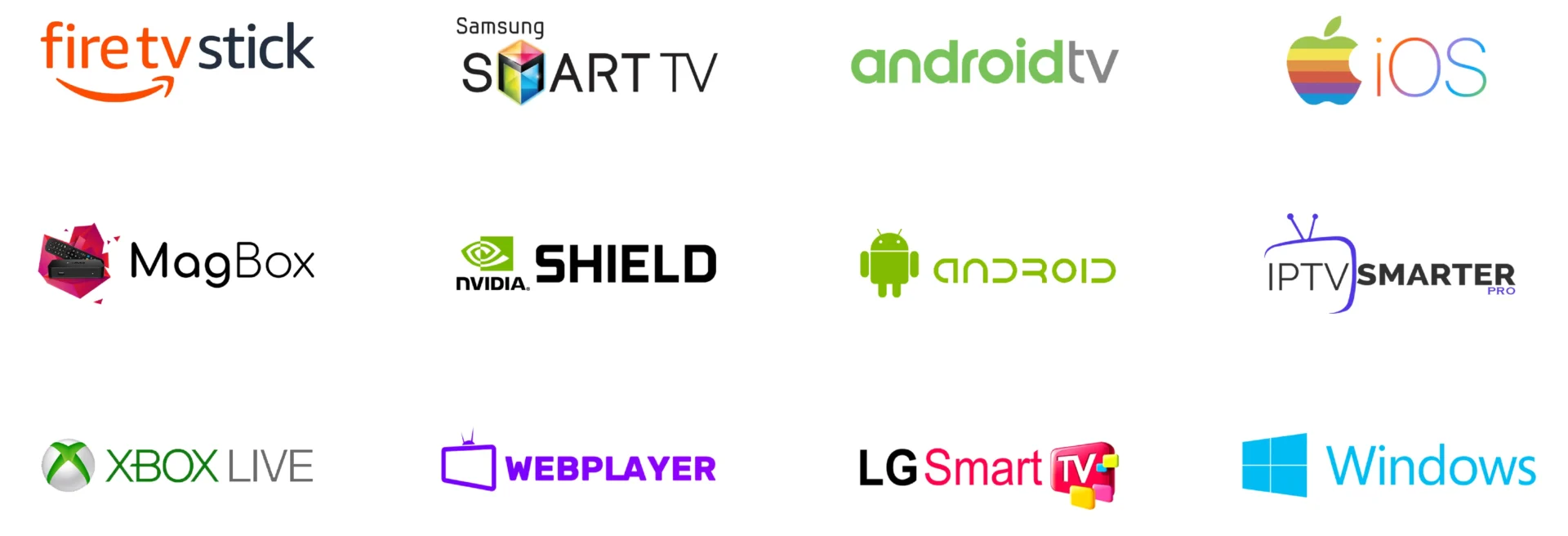
Explore IPTV in Canada on a range of compatible devices. Depending on your selected service and application, supported options may include Amazon Fire TV Stick, Smart TVs, Android TV devices, Apple devices, Android smartphones and tablets, and Windows computers. Supported apps and setup steps depend on your device and IPTV provider. Check the compatibility details before choosing your IPTV subscription.
30-Day Money-Back Guarantee
Compare IPTV Subscription Plans in Canada
Looking for an IPTV subscription in Canada? Compare available plans for live TV and on-demand entertainment. Review channel selection, included features, compatible devices, and subscription terms to find an option that matches your viewing preferences and budget. Depending on your selected plan, you may be able to browse live channels, movies, and TV series through one compatible IPTV application. Compare available features, channel selections, device requirements, and subscription terms to find an option that fits your viewing preferences and budget.
IPTV streaming in Canada can be enjoyed on a range of compatible devices, including Smart TVs, Amazon Fire TV devices, Android TV, smartphones, tablets, and computers. Compatibility depends on your IPTV application, device model, operating system, and service provider. Streaming quality also depends on your internet connection and the capabilities of your equipment. Before subscribing, check the supported devices and available streaming formats to make sure the service meets your needs.
If you want to watch IPTV in Canada without traditional cable equipment, compare the available subscription options and review the setup instructions before getting started. Explore the channel lineup, on-demand catalogue, connection requirements, and customer support information provided with each plan. Content availability and access conditions vary by provider and applicable broadcasting rights. Choose an IPTV provider in Canada based on transparent terms, compatible devices, and the entertainment options that matter most to you.
IPTV Canada: Frequently Asked Questions
How do I choose an IPTV subscription in Canada?
Compare subscription prices, available channels, on-demand content, compatible devices, streaming quality, and service terms. Review the provider's information carefully before choosing a plan that suits your viewing preferences.
How does IPTV streaming work in Canada?
IPTV delivers television content over an internet connection rather than through traditional cable or satellite transmission. Depending on the service, viewers can access live channels and on-demand programming using a compatible device and application.
What is included with an IPTV subscription?
Features depend on the provider and subscription. A plan may include live channels, films, series, or an electronic programme guide. Check the current channel list, catalogue, device limits, and terms before you subscribe.
Can I watch Canadian TV channels with IPTV?
Some services offer Canadian channels, but availability depends on the provider, plan, region, and distribution rights. Check the current channel list before subscribing, and choose a service authorised to offer the channels you want.
Can IPTV be an alternative to cable TV?
IPTV may suit viewers who prefer internet-based television, provided the service offers the content they want. Compare the full cost, channel availability, internet requirements, equipment, and cancellation terms with your current TV package.
How do I install an IPTV app on my device?
Check which applications your IPTV provider supports, install a compatible app from an appropriate source, and follow the supplied configuration instructions. The process depends on your device, operating system, application, and subscription.
Does IPTV work on Amazon Fire TV Stick?
Many IPTV applications support compatible Amazon Fire TV devices. Before subscribing, confirm that your chosen service supports your device model and that the required application is available for installation.
Can I use IPTV on a Samsung or LG Smart TV?
Compatibility depends on your television model, operating system, and the IPTV application. Check the supported device list and app availability. Some televisions may require a compatible external streaming device.
Can I watch IPTV on a phone or tablet?
You may be able to watch IPTV on an Android or Apple mobile device if your provider supports a compatible application. Check the operating system requirements, subscription conditions, and internet connection requirements before installation.
Can I use one subscription on multiple screens?
The number of supported devices and simultaneous streams depends on your subscription terms. Check whether your plan allows multiple connections and whether additional connections require a separate subscription.
What internet speed is recommended for IPTV?
The speed you need depends on video quality, network stability, and how many devices are online at once. Check your provider’s recommendations, use reliable broadband, and consider wired Ethernet if Wi-Fi is unstable.
How can I reduce IPTV buffering?
Buffering can result from network congestion, weak Wi-Fi, limited bandwidth, device performance, or issues with the streaming service. Try restarting your router and application, checking your connection, and reducing other network activity.
Does IPTV support HD and 4K streaming?
Some IPTV services offer HD or 4K content, but availability depends on the provider, subscription, source stream, device, and internet connection. Check the plan specifications before subscribing if resolution is important to you.
Is IPTV legal in Canada?
IPTV technology itself is legal in Canada. However, a particular service must have the necessary rights or authorization to distribute the content it offers. Review the provider's legitimacy and content licensing before subscribing.
Do I need a VPN to use IPTV in Canada?
A VPN is not inherently required for IPTV. Whether you use one depends on your privacy preferences, network configuration, and the service's terms. A VPN does not grant rights to access content that is otherwise unauthorized or unavailable under those terms.
Can I watch live sports through IPTV?
Sports coverage varies by provider and subscription. Check the available channel list and event schedule to see whether your preferred sports, teams, and competitions are included and available in your region.
Are free IPTV trials available in Canada?
Some providers offer a free trial or demonstration, while others do not. Availability, duration, and eligibility conditions vary. Check the provider's current offer and terms before registering or submitting payment details.
Can I cancel or change my IPTV subscription?
Cancellation, renewal, and plan-change policies depend on the provider and subscription terms. Review the billing period, renewal conditions, refund policy, and cancellation procedure before purchasing a plan.
What should I do if my IPTV service stops working?
First, check your internet connection, restart the streaming application, and verify that your subscription is active. Review the provider's setup instructions and service status information. If the problem continues, contact the provider through its official support channel.
How can I choose the right IPTV plan for my household?
Consider your budget, preferred channels, on-demand content, device compatibility, streaming quality, and number of simultaneous connections. Compare the available plans and read the service terms to choose an option that fits your household's viewing habits.
Top 1 IPTV Canada Subscription
REGULATIONS
CUSTOMER SERVICE
Contact US
© 2026 iptvcanada-foryou. All Rights Reserved
